
Seeing the battery level of various devices within Home Assistant is great not only for automation, but also for allowing you to see how charged everything is in a single place.
Unfortunately while it is easy for devices such as smart phones, which can install the Home Assistant Companion app directly, not many device accessories have the same capability. You can work around this using MQTT for devices such as laptops or anything connected to your ip bearing network. For others, such as Bluetooth headphones, this guide outlines an approach that works for me.
Prerequisites
- Android device with the Home Assistant companion app installed
- Bluetooth device (headphones) paired/connected to the Android device where the companion app is installed
- Access to your
configuration.yamlfile(s)
Setup
Companion App
First you must create a new intent in the companion app to trigger an event when the battery level of a connected bluetooth device changes.
You can find this under Settings > Companion App > Manage Sensors > Last update trigger. Ensure that the sensor is enabled and follow the listed instructions for “Add New Intent” populating with the value:
android.bluetooth.device.action.BATTERY_LEVEL_CHANGED
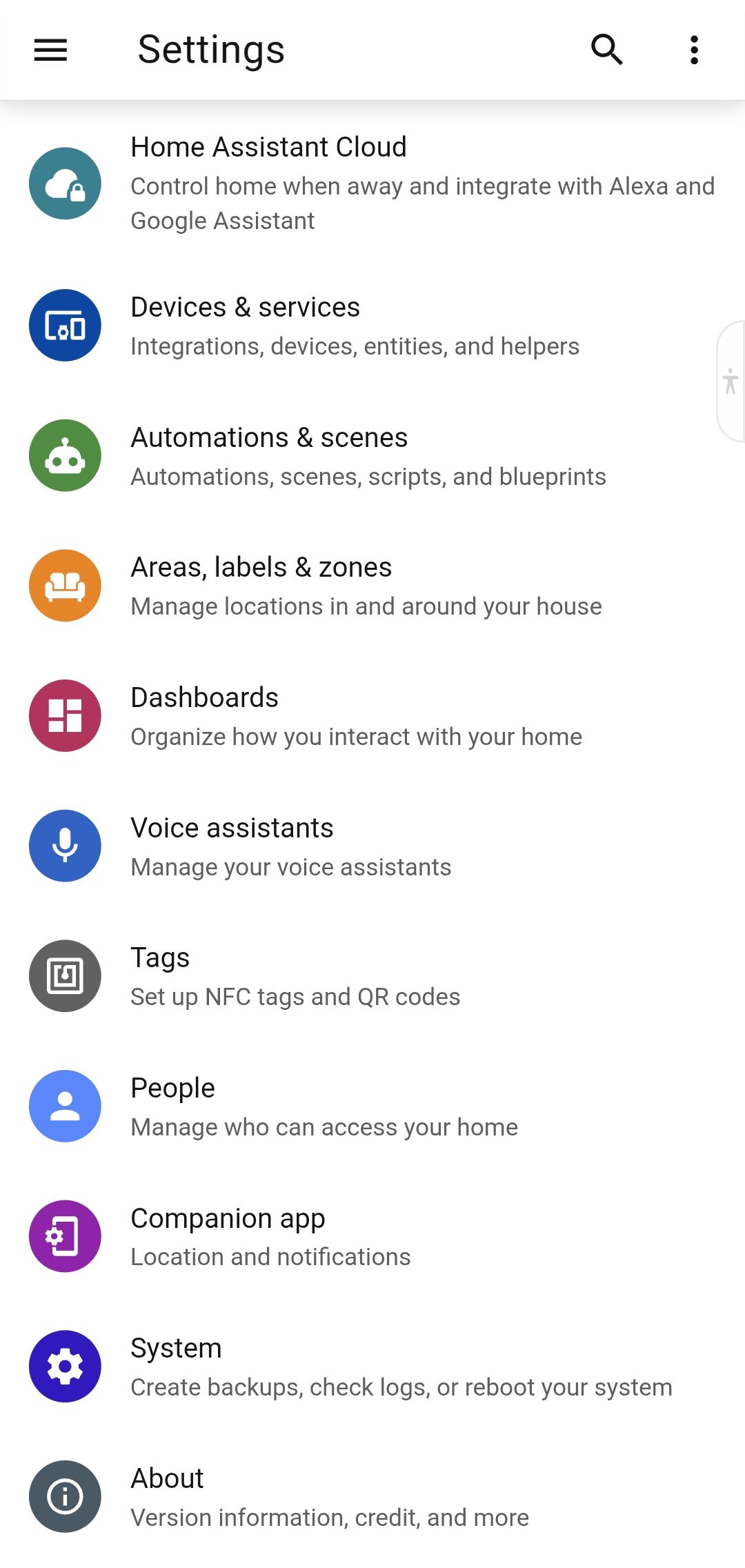
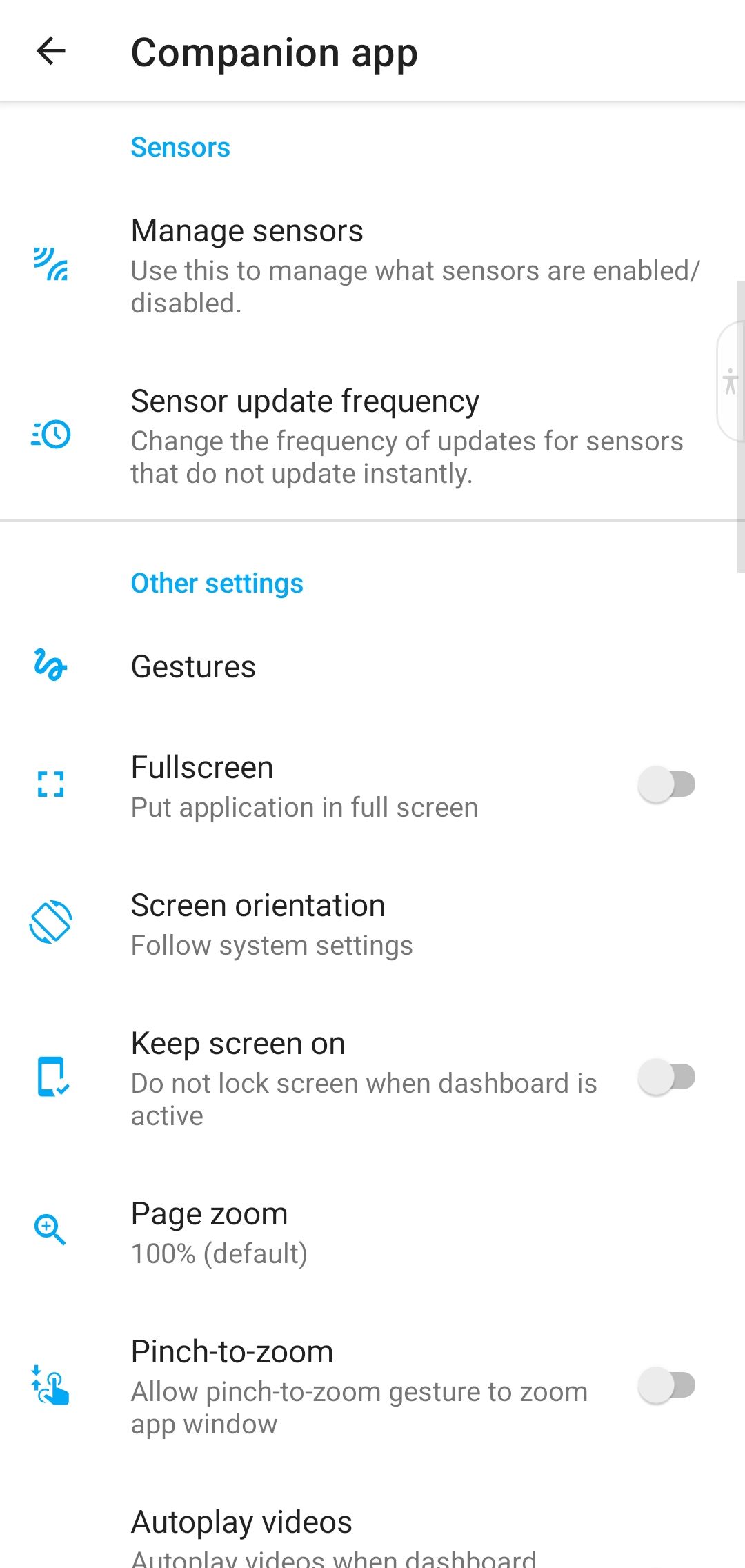
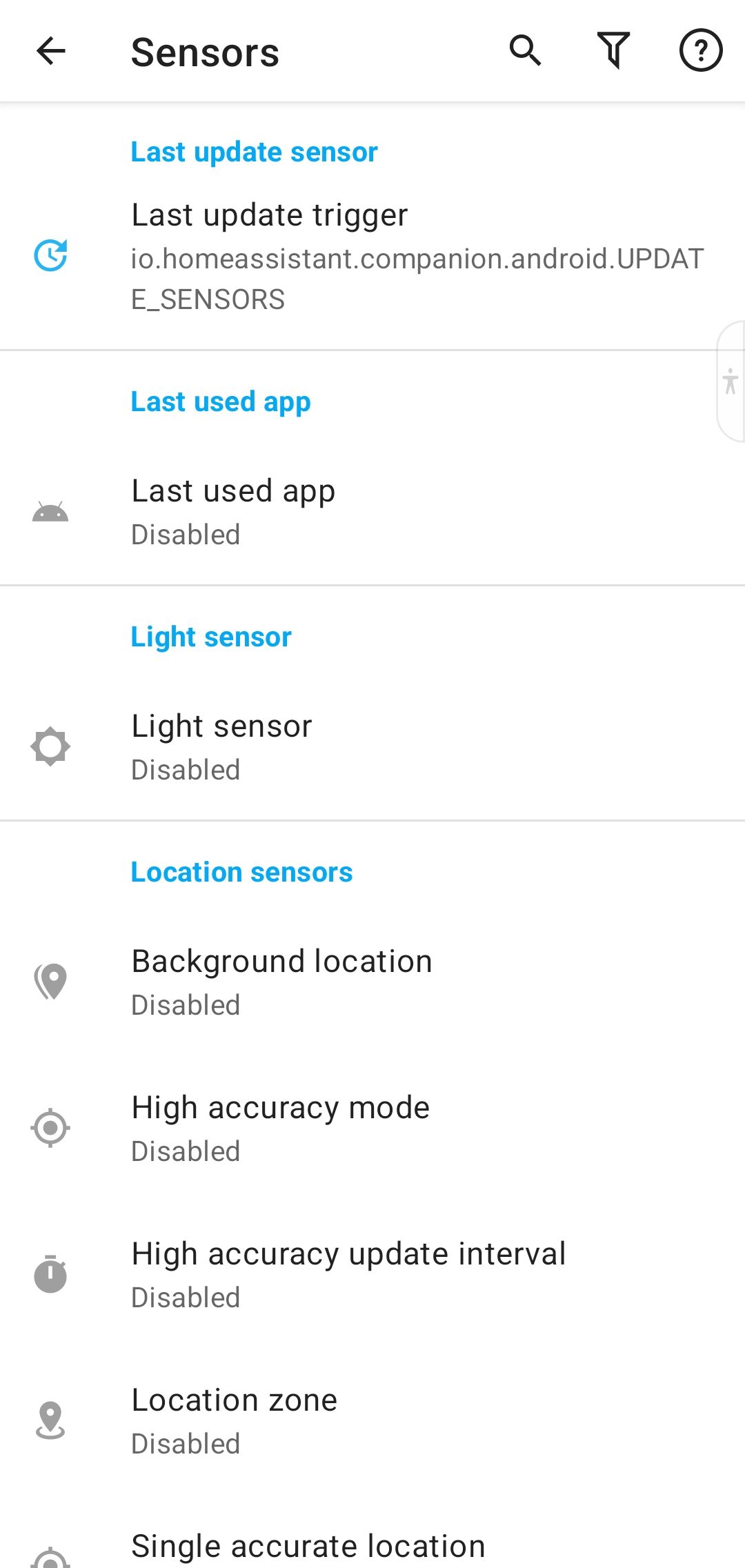
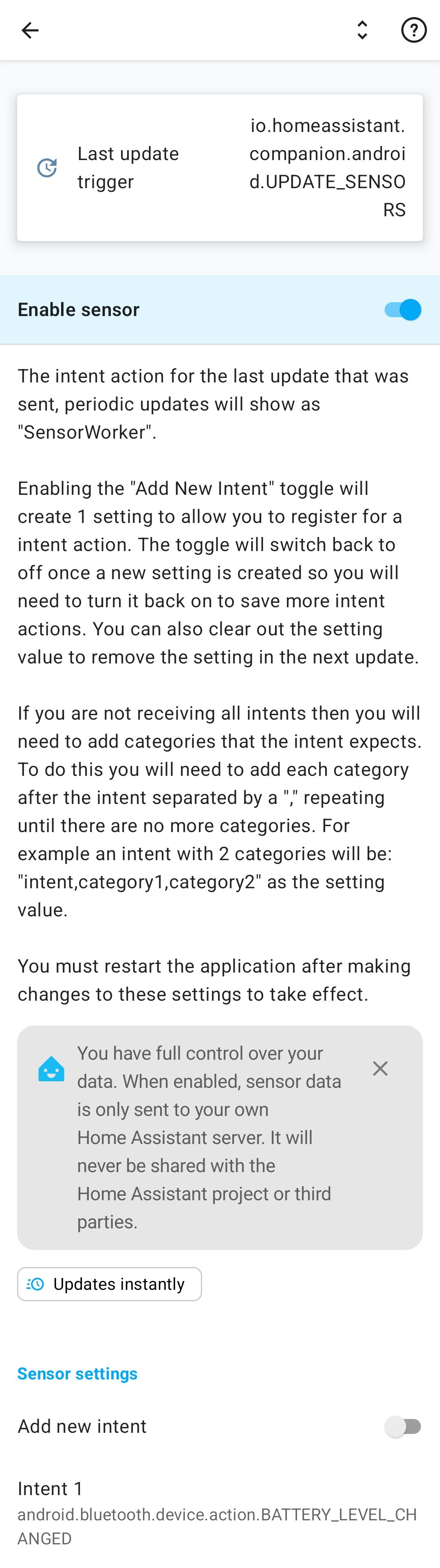
Remember to restart the companion app to begin sending events.
Finding the Bluetooth MAC Address
The best way to filter for the correct device is using its MAC address, which acts as a unique hardware identifier. Since Bluetooth names (like “Wireless Headphones”) can be identical across multiple devices, the MAC address ensures you are targeting the exact hardware you want.
An easy way to find the MAC for your peripheral device while still in the companion app is by temporarily enabling the Bluetooth connection sensor. Once enabled, the sensor’s attributes in Home Assistant will list the names and MAC addresses of all your paired and connected devices. After recording the information you can safely disable this sensor again.
YAML
To avoid cluttering your configuration.yaml it is recommended to use a separate file for declaring your sensors/templates. Include this file in the config with the following syntax.
template: !include templates.yaml
You can create as many battery template sensors as required by placing entries inside your templates.yaml or equivalent file. Below is an example, populate with your values for.
- Target device MAC
- UUID for sensor
- name
templates.yml
- trigger:
    - platform: "event"
      event_type: "android.intent_received"
      event_data:
        android.bluetooth.device.extra.DEVICE: "FF:FF:FF:FF:FF:FF"
        intent: "android.bluetooth.device.action.BATTERY_LEVEL_CHANGED"
  sensor:
    - name: "Sony WH-1000XM4 Battery Level"
      unique_id: "<UUID>"
      device_class: "battery"
      unit_of_measurement: "%"
      state_class: "measurement"
      availability: "{{ trigger.event['data']['android.bluetooth.device.extra.BATTERY_LEVEL'] != '-1' }}"
      state: "{{ trigger.event['data']['android.bluetooth.device.extra.BATTERY_LEVEL'] }}"
This sensor will update anytime a new battery level changed event is received.
Limitations of this Setup
- Requires the Home Assistant mobile companion app
- Android only (iOS does not expose bluetooth events)
- Battery levels only update while the bluetooth device is connected
- Some device manufacturers don’t report exact battery percentages (e.g. 10% increments)
- Telemetry gaps when android device doesn’t have connection to Home Assistant server
- No good way to tell if a bluetooth device is charging
These are largely inherent constraints of the bridging approach used to bring this data into Home Assistant. Unfortunately at the moment I don’t see any particularly good way around such issues.
Future Work
Add additional trigger sources for other device types such as when using headphones with laptop (should be possible with MQTT).